# SoftwareManager
SoftwareManager is a Python-based GUI tool that simplifies searching and downloading software from various sources, including Rutracker, Uztracker and the official M0nkrus Telegram channel.
## Features
- Searching & Downloading Software from various pages
- Network Interface Binding
- Simple UI, Speed Limiting etc.
- No Logins required
## Installation
1. Download the binary file for your operating system from releases
https://github.com/KeksPirates/SoftwareManager/releases
2. Run the file
## Manual Installation
1. Ensure Python 3.x is installed on your system.
2. Clone the Repository:
```bash
git clone https://github.com/KeksPirates/SoftwareManager.git && cd SoftwareManager
```
2. Install Dependencies:
```bash
pip install -r requirements.txt
```
3. Run main.py:
```bash
python main.py
```
## Additional Information
- SoftwareManager is still in Development and most likely contains issues. Please report any bugs you find via the Issues tab. Contributions are also greatly appreciated.
- MacOS Builds haven't been properly tested - We're thankful to receive feedback.
- If you want to host your own server, clone our [server repository](https://github.com/KeksPirates/SoftwareManager-Server), enter your cookie for rutracker.org and run server.py. Detailed Instructions on how to get your rutracker cookie are in the README of the server repo.
## Python Dependencies
(also included in requirements.txt)
```bash
requests (2.32.2)
PySide6 (6.10.1)
beautifulsoup (44.13.5)
darkdetect (0.7.1)
pyinstaller (6.15.0)
PyQtDarkTheme-fork (2.3.4)
aiohttp (3.13.0)
plyer (2.1.0)
psutil (7.1.0)
libtorrent (2.0.11)
libtorrent-windows-dll (0.0.3)
```
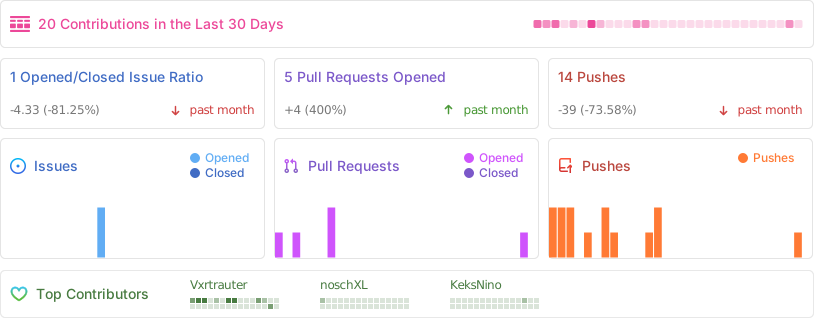
## Activity
## Star History
## Contributors
---
**Disclaimer:** SoftwareManager is intended for legal and ethical use only. Ensure compliance with applicable laws and regulations when using this tool.