# SoftwareManager
SoftwareManager is a Python-based GUI tool that simplifies searching and downloading software from various sources, including Rutracker, Uztracker and the official M0nkrus Telegram channel.
## Features
- Searching & Downloading Software from various pages
- Network Interface Binding
- Simple UI, Speed Limiting etc.
- No Logins required
## Installation
1. Download the binary file for your operating system from releases
https://github.com/KeksPirates/SoftwareManager/releases
2. Run the file
## Manual Installation
1. Ensure Python 3.x is installed on your system.
2. Clone the Repository:
```bash
git clone https://github.com/KeksPirates/SoftwareManager.git && cd SoftwareManager
```
2. Install Dependencies:
```bash
pip install -r requirements.txt
```
3. Run main.py:
```bash
python main.py
```
## Additional Information
- SoftwareManager is still in Development and most likely contains issues. Please report any bugs you find via the Issues tab. Contributions are also greatly appreciated.
- MacOS Builds haven't been properly tested - We're thankful to receive feedback.
- This tool is for educational purposes only. Use it responsibly.
- If you want to host your own server, clone the server branch of this repo, enter your cookie for rutracker.org and run server.py. Detailed Instructions on how to get your rutracker cookie are in the README of the server branch.
## Python Dependencies
(also included in requirements.txt)
```py
requests (2.32.2)
PySide6 (6.10.1)
beautifulsoup (44.13.5)
darkdetect (0.7.1)
pyinstaller (6.15.0)
PyQtDarkTheme-fork (2.3.4)
aiohttp (3.13.0)
plyer (2.1.0)
psutil (7.1.0)
libtorrent (2.0.11)
libtorrent-windows-dll (0.0.3)
```
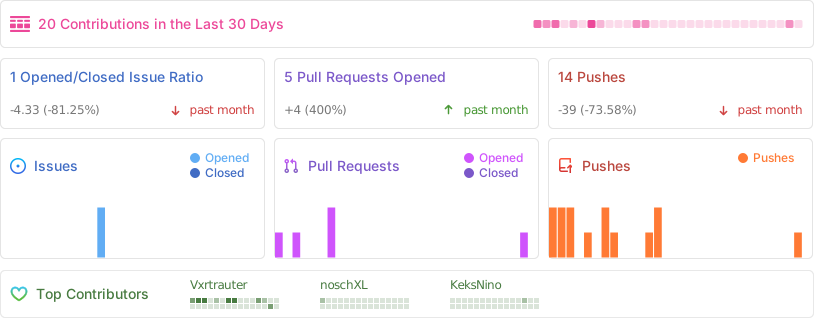
## Activity
## Star History
## Contributors
---
**Disclaimer:** SoftwareManager is intended for legal and ethical use only. Ensure compliance with applicable laws and regulations when using this tool.